


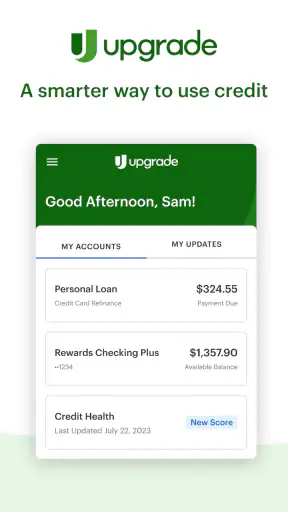
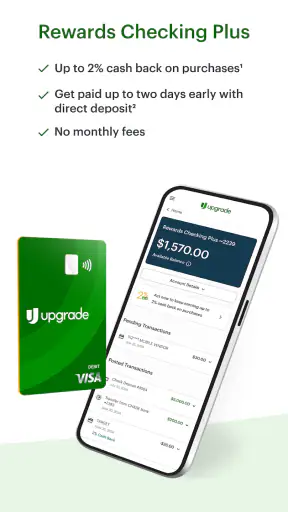

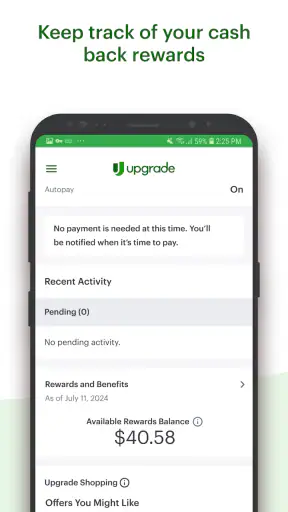
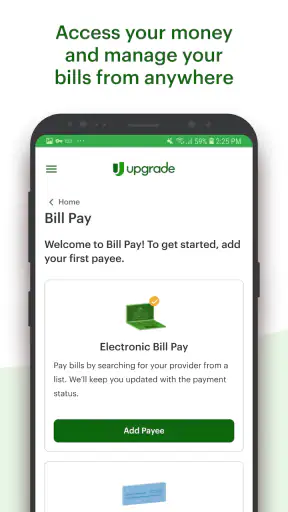
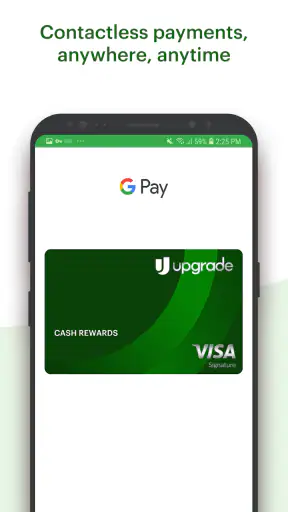
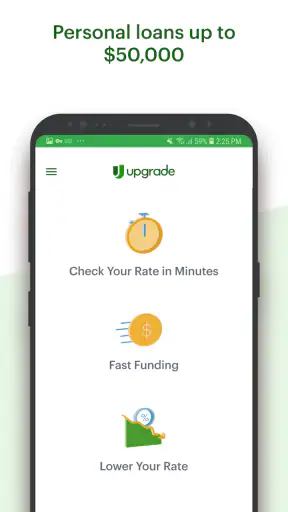
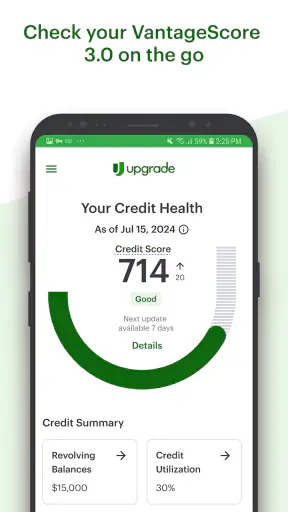
Managing money on a shared phone can become awkward very quickly. One person may want to check a card balance, another may be comparing a personal loan, and someone else may only be interested in rewards checking. Upgrade brings those services together in one finance app, but that convenience works best when each adult treats it as their own financial workspace rather than a household dashboard. After spending time with it, I found the app most useful for people who want borrowing, card access, and everyday account activity in one place without moving between several financial companies.
Upgrade is a free finance app from Upgrade, Inc. It is available for everyone from an age-rating perspective, has passed one million installs, and holds an average rating of 4.4 from around thirty thousand ratings. Those figures suggest that it has reached a substantial audience, but they do not change the central question: whether its combined approach fits the way you and the other people in your home handle money.
How Upgrade fits a shared household routine
A realistic household example would be two adults using the same tablet or occasionally borrowing one another’s phone. One person might open the app to review a personal loan option after an unexpected repair, while the other wants to look at card activity or rewards checking. The services sound related, but they are not automatically the same financial task. Keeping that distinction clear is the first thing I would explain to anyone considering this app for shared use.
I would not treat Upgrade as a joint family organizer. Its value is that it gathers several personal finance products under one developer, not that it turns separate people into one account. If you are checking your own information, the experience is straightforward in concept. If you are trying to coordinate bills, allowances, or spending across several household members, you will still need an agreed routine outside the app.
That difference matters on a shared device. A finance app can be convenient when a household has one available screen, but convenience should not mean passing a signed-in session around casually. I found the sensible approach is for each adult to use their own account and to sign out or secure the device before handing it over. The app may sit alongside other household apps, yet the financial information inside it should remain personal.
For a couple, the practical workflow is simple: decide who is reviewing which product, use the app for that individual’s information, and discuss the result separately. For example, one partner can investigate whether a personal loan suits a repair expense, while the other reviews their own checking activity. That division avoids the common mistake of assuming that a shared phone equals shared financial visibility.
Keep the first setup personal
The initial setup deserves more care than the short store summary suggests. I would begin with the person who will actually use the account, their own contact details, and a private method of accessing the device. Even when a household trusts one another, financial applications are a poor place for informal account sharing. A forgotten signed-in screen can reveal more than intended when a child, guest, or roommate picks up the phone.
Upgrade’s three-part focus also means that users should know what they are exploring before they tap through the app. Personal loans, cards, and rewards checking are different products with different consequences. I would read each screen carefully instead of treating every prompt as a general account update. That is particularly important when moving from browsing to an application or other financial decision.
One useful habit is to separate “looking” from “acting.” Use the app to understand the available area first, then pause before submitting information or accepting an offer. This is not a criticism of the interface; it is a sensible boundary for any app that combines credit-related services with day-to-day banking. The all-in-one design saves time, but it can also make different decisions feel like one continuous flow.
On a device used by several people, I would also avoid saving personal notes, screenshots, or visible reminders in shared locations. The app itself may be private while the surrounding phone is not. A household member can accidentally see a notification, recent-app preview, or image even if they never open the finance app. Good account boundaries therefore involve the phone’s general privacy settings as much as the app’s own sign-in process.
Coordinating without turning separate accounts into one
Upgrade can support a conversation about money, but it is not a replacement for that conversation. Suppose one adult is considering a loan for a household expense. The other person may need to know the monthly commitment, timing, and purpose, but that does not mean both should use the same login. I would share the relevant decision and budget impact rather than handing over unrestricted access to the entire account.
This approach is especially helpful when one person manages regular household payments and another handles occasional borrowing. The first person can maintain their own routine around checking, while the second evaluates a loan or card decision separately. They can then compare the effect on the household budget using a shared note or conversation. That creates coordination without pretending that personal financial products are automatically joint.
A second practical insight is to give each product its own review moment. Checking activity might be something you inspect frequently, while a loan decision deserves slower consideration. Card rewards can be attractive, but they should not become a reason to spend more than planned. By treating these as three separate workflows, I found it easier to avoid the mental shortcut that one convenient app means every option belongs in the same financial plan.
There is also a useful role for Upgrade when a household is trying to reduce app clutter. Instead of jumping between a loan provider, a card application, and a checking service, one app gives the user a common starting point. That can make coordination easier because both adults know where a particular product is located. Still, the responsibility for comparing terms and deciding who should apply remains with the individual, not with the app’s unified layout.
Age, trust, and the meaning of “Everyone”
The app carries an Everyone content rating, which makes it broadly suitable for general audiences in the store context. I would not read that as a signal that every feature is appropriate for a child to use independently. Finance products involve judgment, personal information, and potentially serious commitments. In a household with younger users, I would keep the app on an adult’s personal device or make sure the child cannot open an active session.
That distinction is important because a young family member may understand how to navigate a phone without understanding borrowing, card spending, or account security. An adult can explain the basic ideas using a separate conversation or supervised demonstration, but I would not use a child’s curiosity as a reason to share credentials. The age label describes the app’s general content classification; it does not replace adult judgment about financial access.
Trust also changes the right setup for roommates and extended family. A partner may be comfortable discussing a budget while still wanting private account access. A roommate may need to know who is covering a shared expense but should not have access to a personal loan screen. Upgrade works better when these boundaries are decided before anyone shares a device, rather than after someone notices private information on screen.
For older relatives, the combined product layout can be helpful if they prefer one familiar place to look. At the same time, I would encourage them to slow down around applications and product changes. A trusted family member can help explain what a screen means without taking over the account. That balance preserves independence while reducing the chance that a quick tap becomes an unplanned financial action.
What the app does well for individuals
The strongest part of Upgrade is its focused combination of personal loans, cards, and rewards checking. I like the idea of having those areas close together because it reflects how many people actually think about their finances: borrowing, spending, and keeping money available are connected decisions. The app is less appealing if you only need a basic checking tool and do not care about the other products.
Its free price also lowers the barrier to trying the app. I could explore the general experience without treating the app itself as another subscription expense. That does not mean every financial product within it should be accepted casually. Free access to a finance app is not the same thing as a free loan, free credit, or cost-free spending. I would always judge the individual terms rather than the download price.
Another strength is the possibility of a more consistent routine. If you are already comparing a personal loan and a card while also wanting rewards checking, switching between unrelated apps can make the process feel fragmented. Upgrade gives those interests a shared home. For a user who wants fewer financial apps and prefers a single company relationship, that simplicity may be more valuable than a specialist tool with a narrower focus.
The app’s current version is 1.33.0, and it requires iOS or Android 12 or later. That operating-system requirement is worth checking before planning to use it on an older household phone. A newer personal phone may run it comfortably while an aging shared device may not qualify. This is one of those small practical details that can decide whether a household setup is convenient or frustrating before account questions even begin.
Where I would be cautious
The same breadth that makes Upgrade convenient can make it feel less focused. If your only goal is detailed spending analysis, a dedicated budgeting app may offer a more specialized experience. If you already have a trusted bank for checking and a separate card with benefits you understand well, moving everything simply to reduce app count may not be worth the change.
I would also be careful not to confuse a polished, unified interface with a complete financial plan. The app can put relevant products in front of you, but it cannot decide whether borrowing is sensible for your income, whether a card fits your habits, or whether a checking option is better than what you already use. Those decisions require a look at your own budget and the terms presented during the process.
Shared-device users face an additional weakness: privacy can become complicated even when the app itself is easy to navigate. An account boundary is only as strong as the device habits around it. If several people use one unlocked phone, leave notifications visible, or pass around an active session, the convenience of a common device may outweigh the privacy benefits of separate accounts.
I would skip Upgrade if you are looking for a household account that automatically combines every adult’s activity into one coordinated view. I would also hesitate if you need a highly specialized investment platform, a detailed family budget system, or a tool designed around children’s supervised spending. Those needs point toward different categories of financial software. Upgrade is better understood as a personal financial-services app with several connected options, not as a complete household-management suite.
Questions I would settle before installing
Can several people use it on one device? Technically, a shared device can be used as a place to access individual accounts, but I would not recommend treating one login as a household login. Each adult should keep their own credentials private and make sure the account is not left open for the next person.
Is it suitable for a teenager? The Everyone rating makes the app broadly accessible in store terms, but I would not hand a teenager independent access to borrowing or card decisions without adult supervision. The more important question is not whether the app can be installed, but whether the young person understands the financial consequences of what they are viewing or submitting.
Does it replace a bank or budget app? It may reduce the number of apps you use if its combination of personal loans, cards, and rewards checking matches your needs. It should not automatically replace a specialist budgeting tool or an existing bank relationship that gives you better features or terms. I would compare the actual product details and your daily workflow before moving anything important.
Is the app free to download? Yes, Upgrade is listed as free. I would still separate that from the cost of any financial product you consider inside it. Before accepting anything, review the relevant terms, repayment expectations, and ongoing implications in the product flow.
Will it work on an older phone? The listed minimum is iOS or Android 12, so a device below that requirement is not a good candidate for the setup. In a household, this often means checking the shared tablet or spare phone rather than assuming it will run simply because newer personal devices do.
My household verdict
I see Upgrade as a good fit for an adult who wants personal loans, cards, and rewards checking gathered under one roof. Its free entry point, broad availability, and established audience make it easy to consider, while the current version keeps the experience relevant for compatible devices. I especially like it for someone who is tired of juggling several finance apps and is comfortable making careful decisions within a combined interface.
For household use, my recommendation comes with a firm boundary: share plans, not passwords. Let each adult manage their own account, discuss the budget consequences separately, and keep the app away from unsupervised child access. That approach preserves the convenience of using one familiar app without turning private financial information into communal phone content.
In my view, Upgrade is most convincing when it simplifies an individual’s financial routine, then supports a clear conversation between household members. It is less convincing as a substitute for joint budgeting, specialist financial tools, or thoughtful comparison shopping. If you understand that distinction, the best reason to try Upgrade is its connected personal-finance workflow, not the promise of effortless household coordination.


